
A graphics card (also called a video card or simply “GPU card”) is a hardware component in your PC that is dedicated to rendering and displaying images, videos and animations on your monitor.
The core of a graphics card is the GPU (graphics processing unit) — a specialised electronic circuit designed for image processing and accelerating computer graphics.
A dedicated graphics card is separate from the CPU’s integrated graphics, meaning it typically has its own memory (VRAM), cooling system, and is more powerful for gaming, 3D modelling, video editing etc.
Why you need one: If you play games (especially modern, high-detail or high-resolution ones), or do graphic-intensive work, a dedicated graphics card makes a big difference in performance and visual quality. Integrated graphics struggle with those.
In short: the graphics card handles the heavy lifting of generating and outputting images, freeing the CPU for other tasks.
Understanding this helps you pick the right card for your needs, and why features like VRAM, architecture, cooling, and power draw matter.
What to look for when choosing a graphics card
When shopping for a graphics card for gaming in 2026, there are several key factors to keep in mind:
VRAM (Video RAM) – More VRAM helps when you game at higher resolutions (1440p, 4K) and use high-quality textures. Some sources believe 16 GB or more will be more “future-proof” for forthcoming titles.
Architecture & generation – Newer GPU generations bring improvements in efficiency, ray tracing, up-scaling technologies (such as NVIDIA’s DLSS, AMD’s FSR) and memory type. For example, one article noted the shift to GDDR7 in upcoming models.
Cooling, size and power draw – A high-end card may draw several hundred watts, require good airflow, and may be physically large (triple-fan, long PCB). You’ll need a suitable power supply and case.
Target resolution & refresh rate – If you play at 1080p with 60 Hz, you don’t need the most expensive card. But if you want 1440p at 144 Hz or 4K at 60-120 Hz (or more), you’ll need a stronger GPU.
Feature support – Ray tracing, up-scaling (AI frame generation), high-bandwidth memory, PCIe version (e.g., PCIe 5.0) can affect performance and future-proofing.
Budget & value – High end cards cost a lot. You’ll want to pick what matches your budget and gaming goals rather than just buying “the strongest”. Some mid-range cards offer excellent value.
With these criteria in mind, let’s look at some of the best graphics cards you might pick for gaming in 2026.
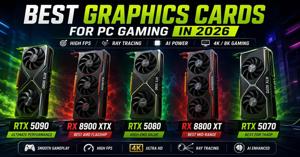
Best graphics cards for gaming in 2026

Here’s a list of strong graphics-card options spanning different budgets and performance tiers, with key features. The year “2026” here is used as a forward-looking context (i.e., cards available now or soon that will still be relevant in 2026). Actual pricing may vary, and availability in India (Delhi) may differ.
1. ASUS ROG Astral GeForce RTX 5090
Tier: Enthusiast / Flagship.
Features: 32 GB GDDR7 (as per listing), ultra-high performance aimed at 4K/8K gaming.
Why pick: According to a list from Tom’s Hardware, the “GeForce RTX 5090” appears as a top-end model with 24GB (though models may vary) delivering ~102 fps at 4K in their table.
Considerations: Very expensive; large power draw; you’ll need a high-end system (case size, PSU) to accommodate it.
2. ASUS Prime Radeon RX 9060 XT 16GB
Tier: Mainstream / Upper-Mainstream.
Features: 16 GB GDDR6, good value for 1080p/1440p gaming. One article indicated the RX 9060 XT 16GB “outperforms NVIDIA’s RTX 5060” in many scenarios and is excellent for 1080p/1440p.
Why pick: For gamers on a moderate budget who don’t need the top-end 4K ultra performance but want good performance and future-proofing.
Considerations: Not as strong for high-end 4K or heavy ray tracing as flagship models.
3. MSI RTX 4060 Ventus 2X OC 8GB
Tier: Mid-range.
Features: 8 GB VRAM (though by 2026 you might prefer 12+ GB for higher resolutions), newer architecture, good for 1080p and decent 1440p.
Why pick: Balanced performance for price; if your budget is limited but you still want good gaming experience, this kind of card makes sense.
Considerations: At 8 GB VRAM you may hit limits in future games at high settings / high resolutions; also features and up-scaling may be less advanced than flagship cards.
4. Gigabyte GeForce RTX 5090 Gaming OC
Tier: Another flagship enthusiast choice (same model family as #1, different brand/variant).
Features: 32 GB GDDR7; aimed at gamers wanting cranked-up settings, ray tracing, high refresh rate 4K or 8K.
Why pick: If you want “the best” (regardless of cost) and aim to future-proof for several years ahead towards 2026 and beyond.
Considerations: Very high cost; you may not need such extreme performance unless you game at the highest resolutions / refresh rates.
5. Zotac RTX 3070 8GB Twin OC
Tier: Budget / Entry-to-Mid.
Features: 8 GB VRAM (maybe less ideal for future games at high resolution), good for 1080p and some 1440p gaming.
Why pick: If you have a constrained budget but still want a dedicated GPU rather than using integrated graphics.
Considerations: As games progress, 8 GB may become a limiting factor; resolution and settings may need adjustment.
Best graphics-card companies / brands
When choosing your graphics card you’ll also look at who makes it and what their reputation is. A few key companies:
NVIDIA: Very strong ecosystem, excellent driver support, leading in many features (ray tracing, up-scaling technologies like DLSS). For example, the RTX 50-series announcement mentions GDDR7 memory and DLSS 4.
AMD: Competitive value, especially for rasterisation (traditional rendering) and good VRAM for the price. According to PC Gamer, the RX 9070 series offers very good all-round performance.
Board partners / brands: The GPU brand (NVIDIA or AMD) is one thing; the actual card you buy will be built by a partner brand (ASUS, MSI, Gigabyte, Zotac, etc). These manufacturers influence cooling, quality, warranty, factory overclocks and sizes.
In short: If you prioritise features and top-end performance, NVIDIA is often the safe pick. If you prioritise cost-performance (bang for buck) then AMD often shines. For actual card purchase, choose a reliable partner brand with good reviews.
Conclusion
In 2026 the graphics-card market offers many strong choices—but the “best card” always depends on your budget, what resolution you game at, what refresh rate your monitor supports, and how long you want the card to last.
If you play at 1080p on a 60-144 Hz monitor, you don’t need the ultra-flagship card. A mid or entry-level dedicated GPU will give a great experience.
If you game at 1440p or on a high refresh monitor (e.g., 144 Hz+), you’ll want a stronger card (16 GB VRAM or more, good architecture, up-scaling support).
If you game at 4K or want the highest settings + ray tracing + future games for years, then the high-end cards like the RTX 5090-class make sense—but they cost a lot and require strong supporting hardware (PSU, cooling, case size).
Always check: your power supply is sufficient, your case has space and airflow, and your monitor is matched to the graphics card (no point buying an ultra-high-end card if you only have a 60 Hz 1080p monitor).
Value still matters: A card that is “good enough” for your needs at a reasonable cost may be much smarter than overspending for performance you don’t use.
In summary
Pick the graphics card that aligns with your gaming resolution, monitor refresh rate, budget and how long you plan to use the PC. Use the list above as a guide to strong options in 2026. And choose a trusted brand with good cooling and power compatibility. That way you’ll get great gaming performance now and remain well-set for future games.


Write a comment ...